
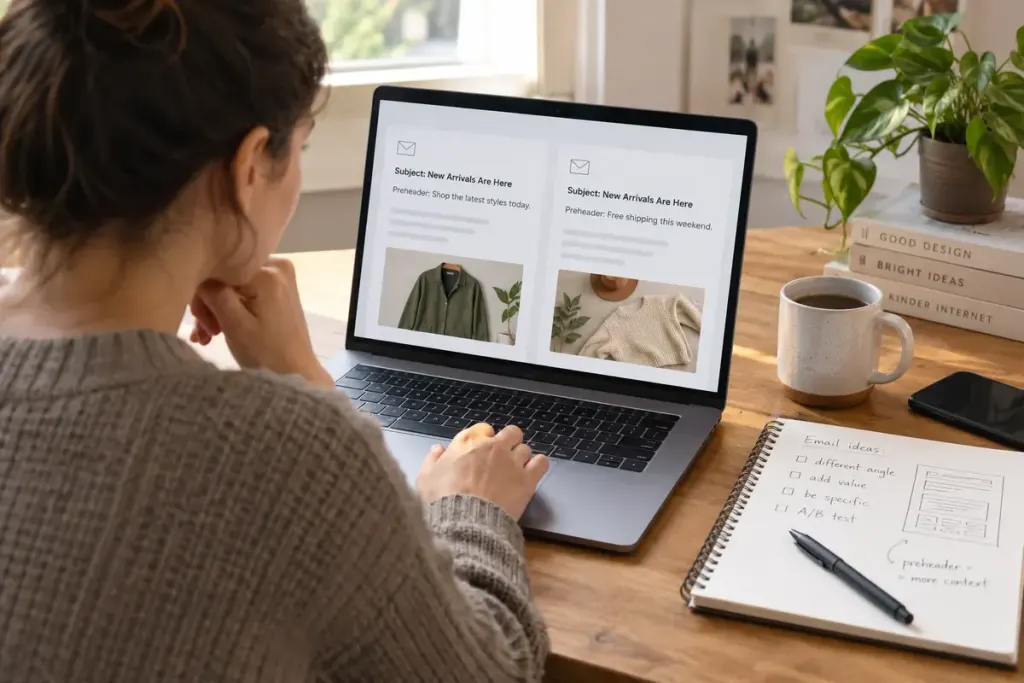
An inbox often shows a subject line and a short preview beside or beneath it. When both repeat the same sentence, the message spends two pieces of space saying one thing. The preheader can instead explain why the email is worth opening.
Begin with the subject’s job. Is it announcing a change, offering useful information or reminding someone of an action? Then give the preview a supporting job rather than writing a second competing headline.
Try a paired draft
For an invented workshop email, the subject might be “Your Saturday workshop details”. A useful preview could say, “Bring a notebook; the side entrance opens at 9.30.” It adds information the recipient can use without exaggerating the importance of the message.
A less helpful preview would repeat “All the details for your Saturday workshop are here”. It is not wrong, but it leaves the practical space unused. Another weak option is a vague teaser that withholds essential information merely to encourage an open.
Check what actually appears
Email clients display different amounts of preview text. Put the most useful information early, and test the message in the clients relevant to your audience. Do not rely on a single universal character count.
If the template has no deliberate preheader, it may expose navigation text, a view-in-browser link or other content instead. Inspect a real test email rather than judging only the editor’s preview.
Keep the subject, preheader and opening paragraph consistent. A preview promising a deadline should lead to a clear deadline in the message, not a general promotional page. For a correction or operational notice, clarity matters more than cleverness.
One useful editing pass is to read the subject and preheader aloud as a pair. If the second line adds nothing, give it a concrete fact, a scope limit or the next action the reader needs.